Minimal AI layer for paper reading

Read papers
without breaking
context.

Pointer keeps citation previews, notes, and save actions inside the PDF so research workflows stay calm, focused, and easier to trust.

Used by readers across labs and universities

Columbia University
The University of Chicago
UCLA
Imperial College London
Harvard University
UC Berkeley
University College London
London School of Economics
University of Oxford
Columbia University
The University of Chicago
UCLA
Imperial College London
Harvard University
UC Berkeley
University College London
London School of Economics
University of Oxford

How it works

Built around a quiet reading session.

Pointer is useful when the interface gets out of the way and each action stays attached to the paper you are already reading.

Step 01

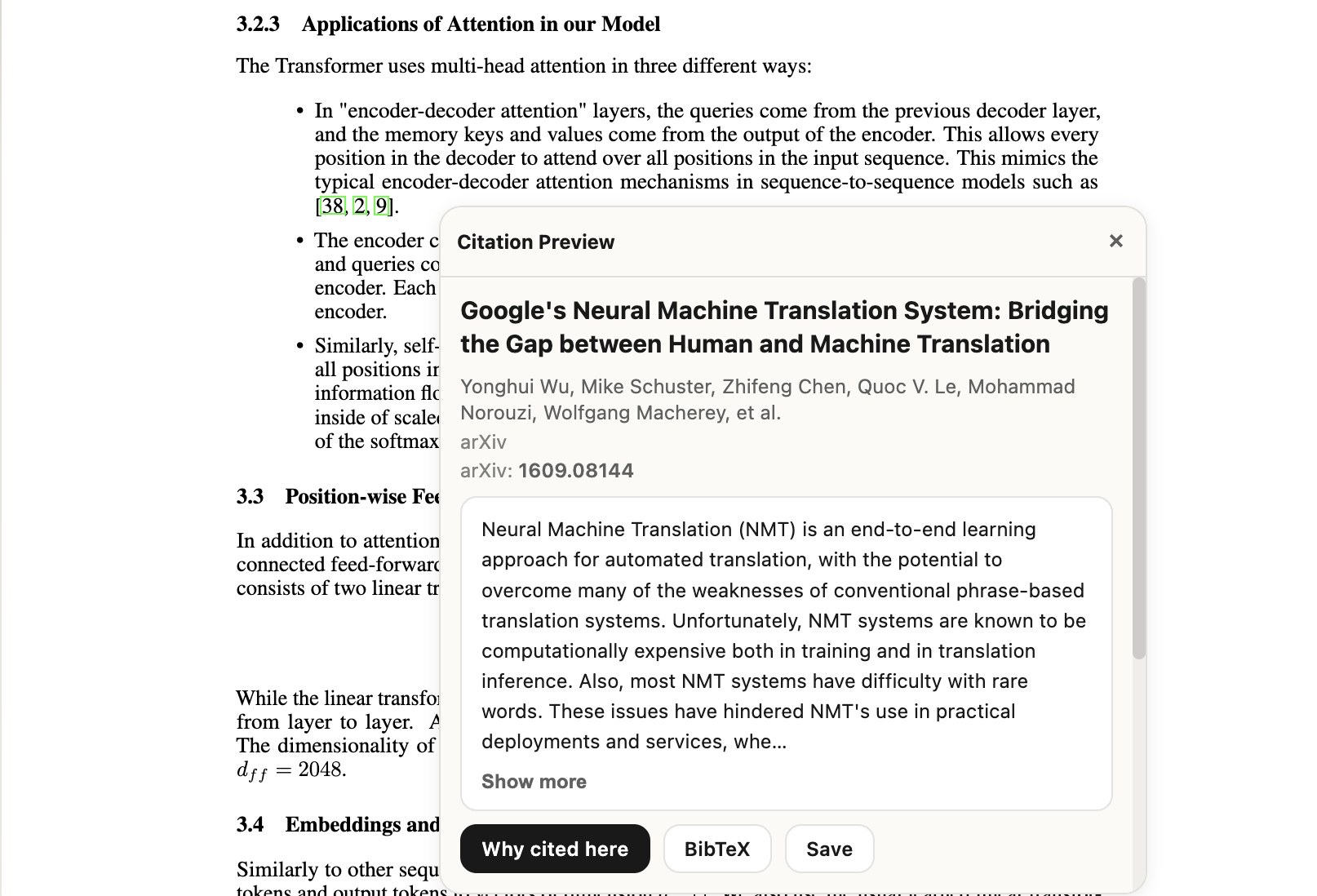
Preview the reference before you jump

Readers can decide whether a citation matters while staying in the paragraph that triggered the question.

Citation preview popup inside Pointer

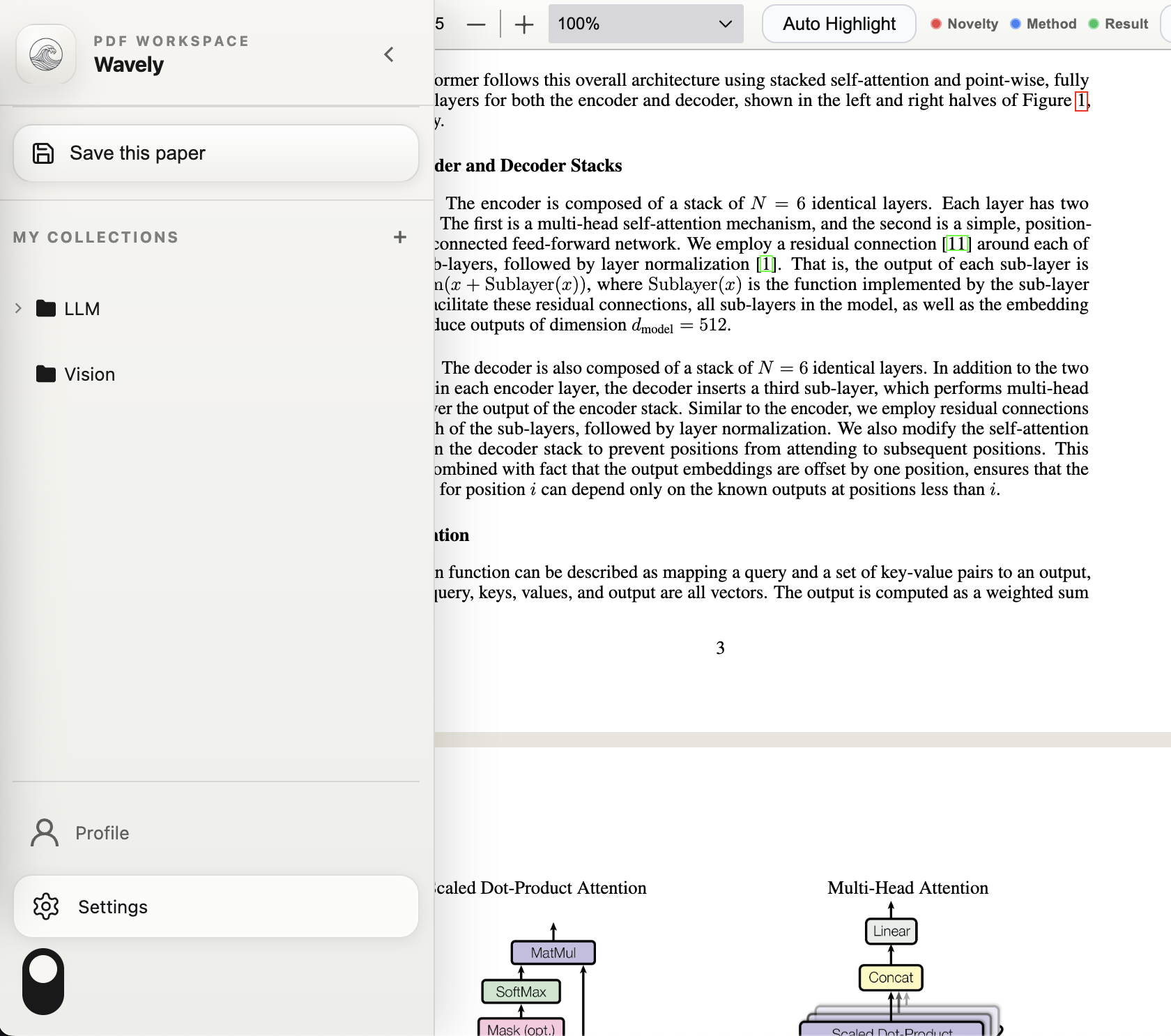
Step 02

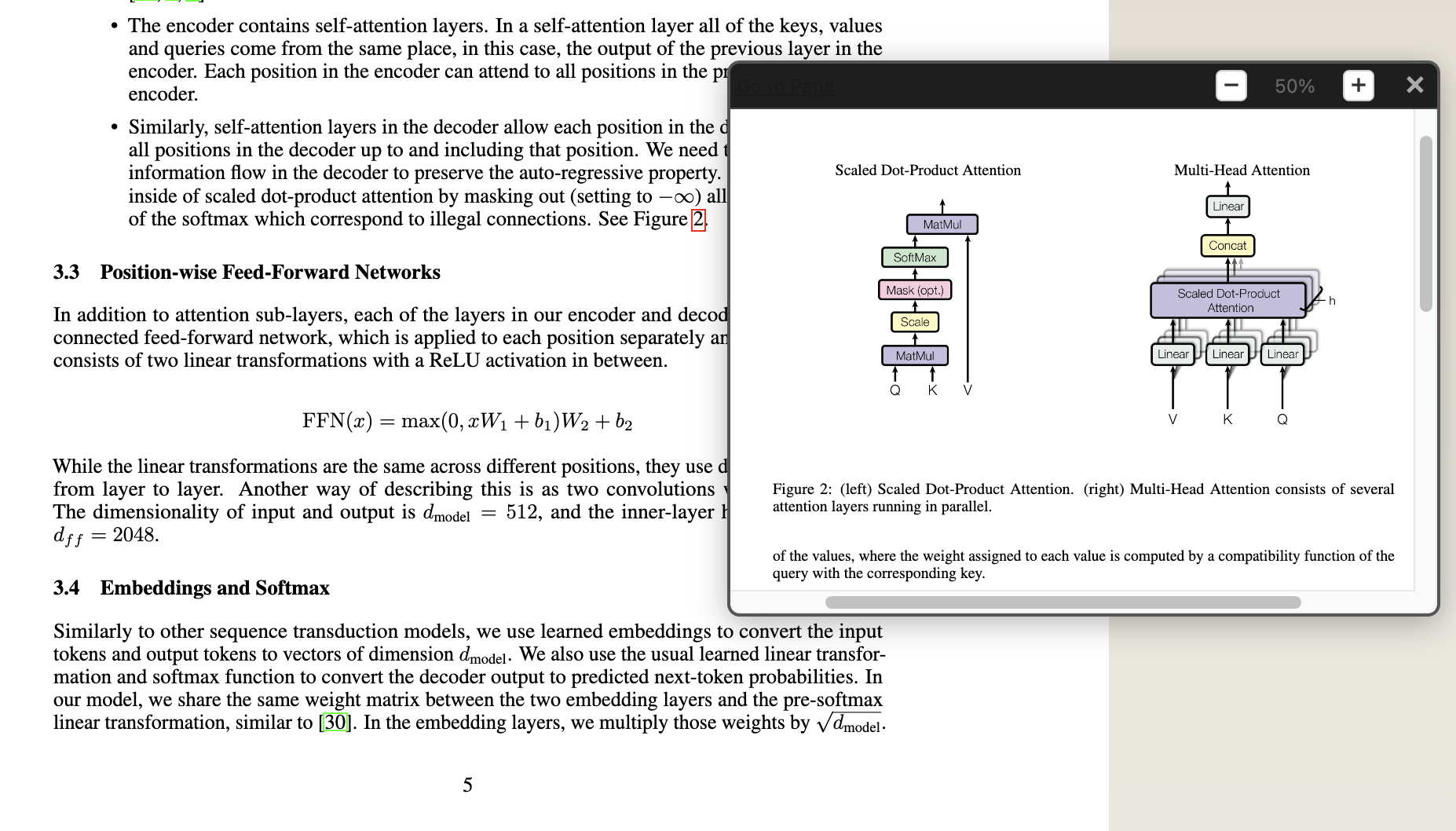
Save the paper while the context is still fresh

Collections, save actions, and profile state live inside the same reading surface instead of a separate library app.

Pointer sidebar showing save and profile actions

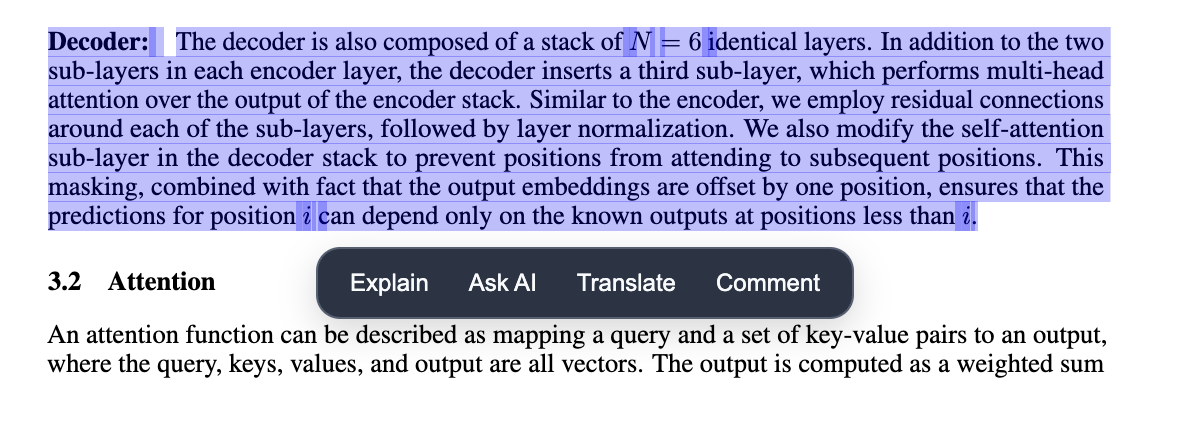
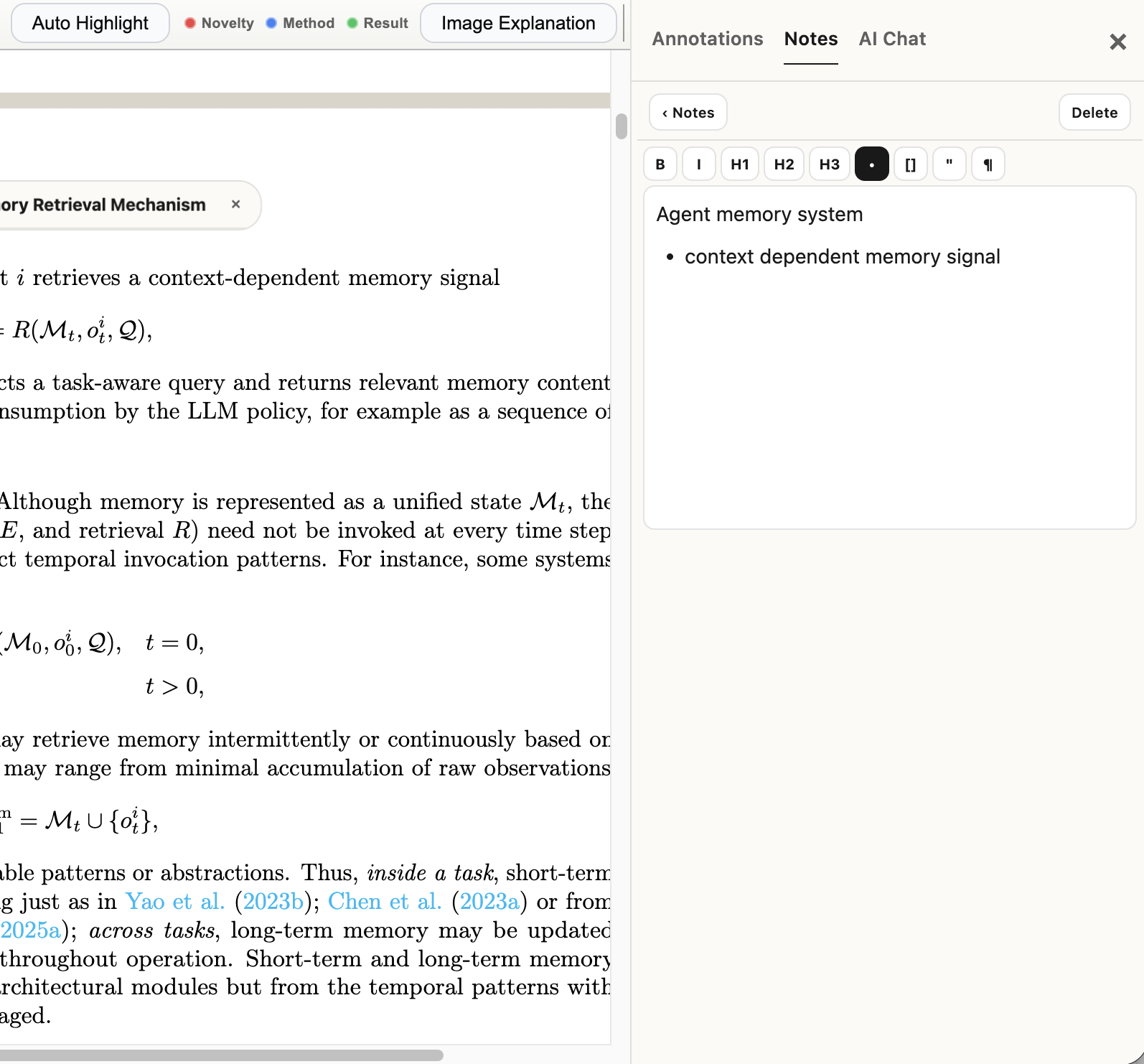
Step 03

Review notes without hiding the PDF

The right panel stays compact and readable so annotation and notes remain useful during real paper review.

Pointer notes panel attached to a PDF

01

Citation-first triage

Open title, abstract, metadata, and source links at the moment a reference is mentioned.

02

Actual reading memory

Saved papers, collections, and notes stay attached to the PDF instead of becoming another loose list.

03

Extension-aware rollout

Pointer improves the PDF flow without asking teams to rebuild session sync or extension UX from scratch.

Why teams keep Pointer open

The payoff is clarity, not more UI.

Pointer works best when a paper-review session has to do three jobs at once: verify citations, keep notes, and decide what to save for later.

Less tab-hopping

Citation triage happens in the PDF instead of a search engine, a notes app, and a paper database all at once.

Better shared context

When a team member opens the same paper, the notes and saved state are attached to the same reading surface.

Cleaner rollout path

Extension-first teams can upgrade the product experience without replacing everything around auth and billing.

Pricing

Pricing that stays simple

Start free, then upgrade to Pro when your citation and AI throughput grows.

Free

$0/month

Best for trying the extension workflow with core PDF tools.

  • Unlimited document uploads
  • Core annotation + citation preview
  • 3 AI-enabled docs per week
  • Basic collections
Most Popular

Pro

$16/month

For researchers and operators who rely on AI every day.

  • Everything in Free
  • Unlimited AI actions and citation enrich
  • Auto-highlight with AI
  • Advanced reasoning models
  • Priority support
  • Export annotations

Use cases

Pointer is strongest when the paper stays central.

These are the reading loops the product is built for: fast citation checks, attached notes, and a clear path from “interesting paper” to saved context.

PhD student or research assistant

Literature review sprint

Skim dozens of papers, save the important ones, and only deep-dive on the citations that actually matter.

  • Open citation preview in place
  • Save papers to collections
  • Leave notes next to the paper
Conference reviewer or lab lead

Peer review and rebuttal prep

Verify referenced claims fast without losing the section of the paper you were evaluating.

  • Check linked references inline
  • Compare notes across claims
  • Keep annotation context visible
ML team reading stack

Research engineer onboarding

Turn a pile of background papers into a structured reading queue with saved context and notes.

  • Collections for topic clusters
  • Notes panel for implementation takeaways
  • Same viewer across extension and web
Founder, PM, or product researcher

Technical diligence

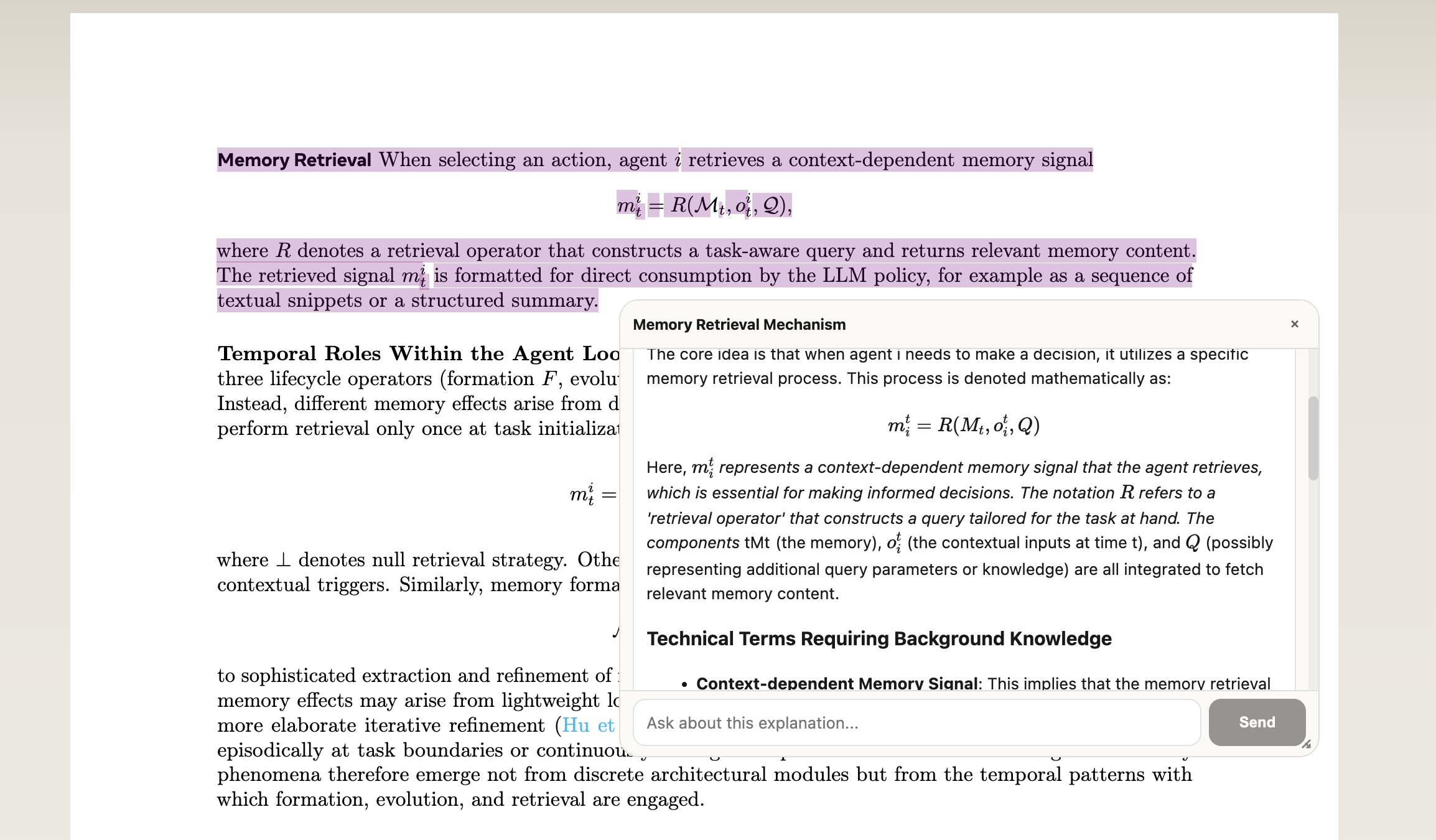
Read unfamiliar papers faster by keeping previews, notes, and AI guidance attached to the PDF itself.

  • Faster citation lookup
  • Less second-tab searching
  • More confident read/no-read decisions

FAQ

Frequently Asked Questions

Everything you need to know before rolling Pointer into your team workflow.

What is Pointer and who should use it?
Pointer is an AI-powered PDF workspace for researchers, founders, and engineering teams that read a lot of papers. It helps people move through references faster with citation preview cards, metadata lookup, and in-document AI actions.
How does citation preview work?
When users click citation links in a PDF, Pointer intercepts the action and opens a modal with title, abstract, and BibTeX when available. If semantic metadata is missing, Pointer uses fallback providers to improve resolution success.
Can we keep our existing extension auth flow?
Yes. Pointer is designed to sit on top of your existing extension and session flow. Teams can improve UI and citation UX without replacing core auth, billing, or user identity infrastructure.
What is included in the free plan?
The free plan includes core PDF features, citation preview, basic annotations, and limited AI-assisted reading. It is ideal for individual evaluation before rolling out to a team.
What happens when metadata providers are rate-limited?
Pointer surfaces unresolved reasons clearly in the UI and provides safe fallbacks so users can continue reading. You can also tune provider keys and limits in production to improve hit rate.
Is Pointer production-safe for sensitive workflows?
Yes, with standard production controls: API keys managed by environment variables, rate limiting, auth checks on protected endpoints, and provider fallback logic. Most teams start with staged rollout and SLO monitoring.
Ready to ship cleaner research flows?

Keep the product quiet and the reading loop fast.

Keep your current extension/session flow, upgrade the reading UX, and roll out better citation handling to users in days.